# Set up Eclipse for Caplin HTML5 files
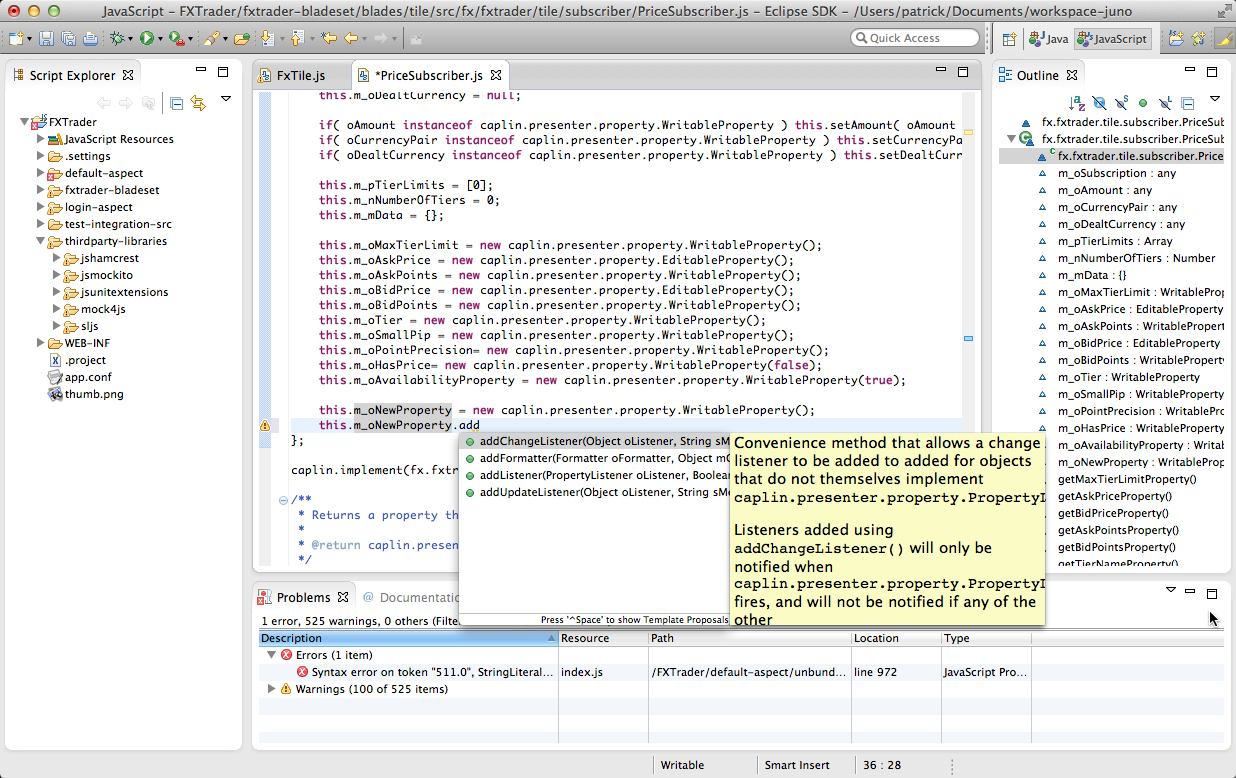
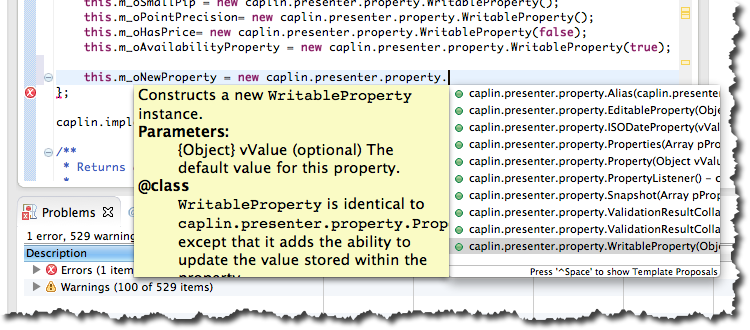
If you are using Eclipse, it is possible to set up projects to understand all the Caplin Trader HTML5 files, offering auto-completion and inline documentation, like this:
Here’s how…
## What you will need
Make sure you have 'Web Tools Platform' (WTP) installed in your Eclipse. If you have the full-on Java EE edition, it will already be installed. Otherwise you can get it from here: [https://eclipse.dev/webtools/](https://eclipse.dev/webtools/). These examples use Eclipse Juno 4.2.2 with Web Tools Platform (WTP) 3.4.2 on Mac.
## Creating the project
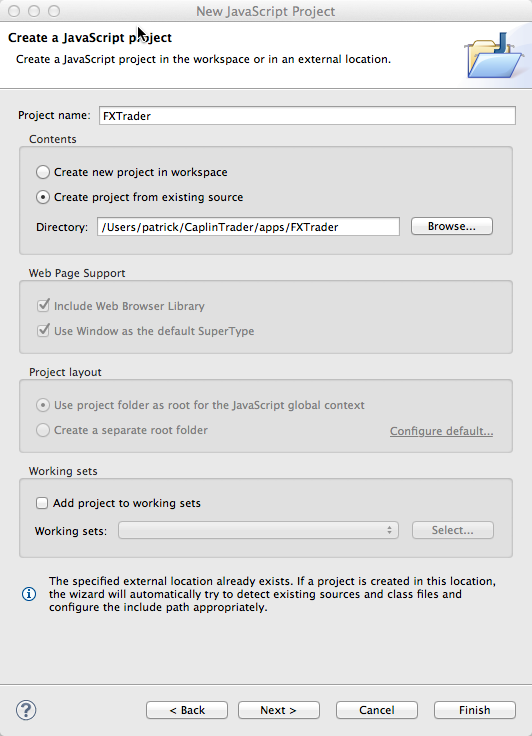
You need to create a project of type "JavaScript Project". By doing this, Eclipse will parse any JS files and give warnings/errors, which is useful. But more importantly, it understands external JS files and can auto-complete them. By default, it just has standard ECMAScript completion, but we can add the Caplin HTML5 files too.
**⚠️ WARNING**\
Do not create projects with too big a scope, or the JS parsing in Eclipse slows everything down. For example don’t create a project with the whole of BR or CT install as its root. Create a project-per-app, like in this example.
In this example, the project is a Caplin Trader app – FX Trader motif:
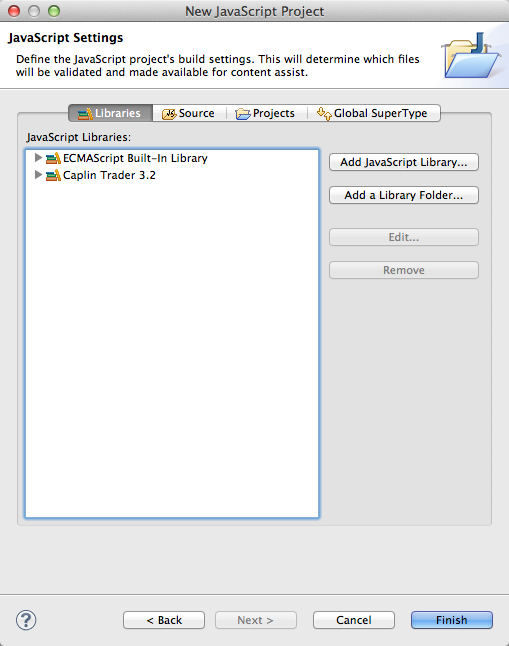
Set up JS Libraries for the project:
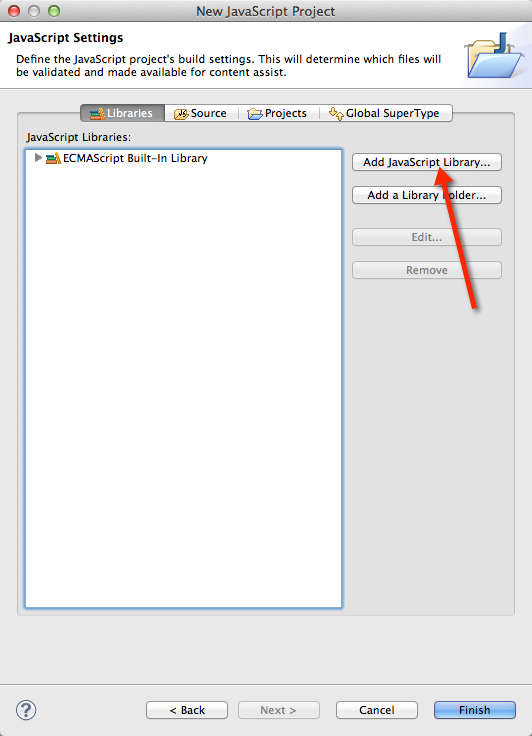
Create a new User Library. We’ve called it `Caplin Trader 3.2.` Then click _Add Folder..._
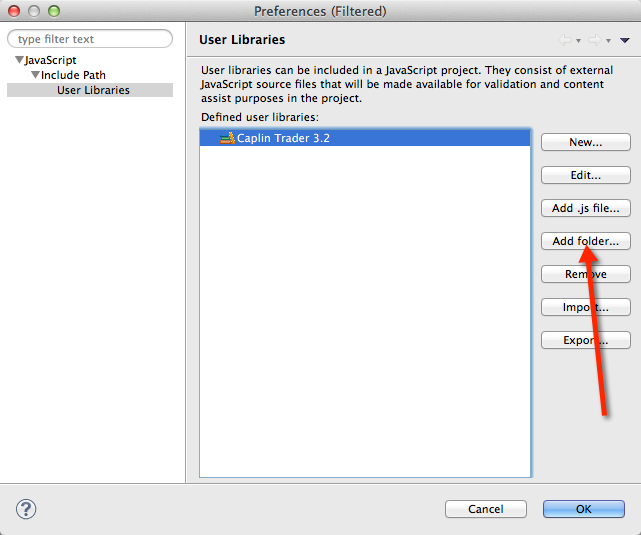
Select the `sdk/libs/javascript/caplin` folder of the CT or BR install from the popup. Once chosen, the settings should look something like this:
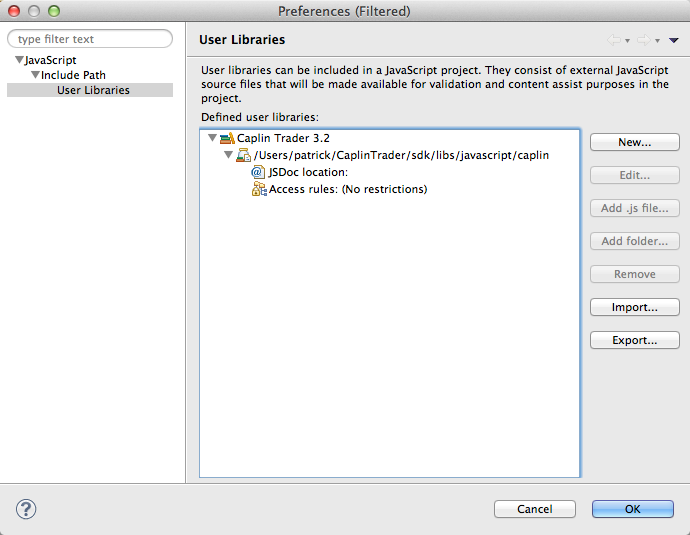
Click _OK_, and your JavaScript Project settings will look like this:
## All Done!
You now get inline code completion with documentation, for all Caplin HTML5 files. It even works with inheritance. So, methods on **superclasses** are correctly available on **subclasses**, etc. This example shows the `addChangeListener` method, which is a method of the Property class available on this `WritableProperty` instance.